AIVerify runs on your Windows PC and analyzes images, text, and video in seconds — giving you a confidence score backed by multiple detection methods.
Every scan shows a confidence score alongside the specific signals that triggered it — whether that's AI-generated metadata, compression artifacts, or writing patterns.
You see exactly why the verdict was reached, not just what it is.
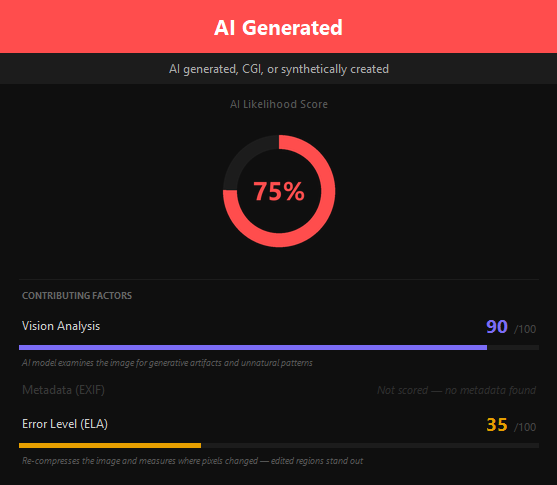
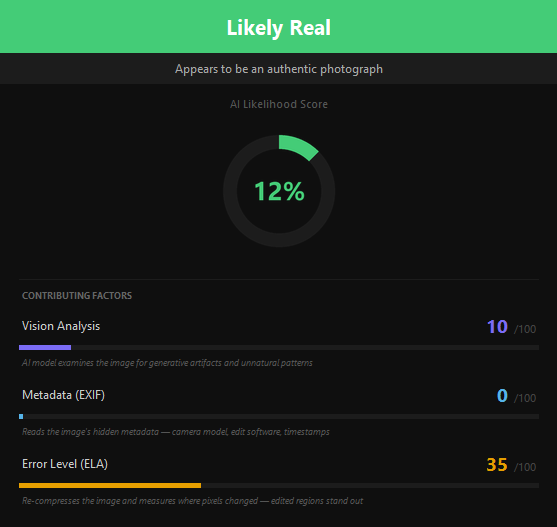
AIVerify combines visual AI analysis, EXIF metadata inspection, and error-level analysis (ELA) into a single combined score.
Each method contributes independently so you can see which factor carried the most weight.
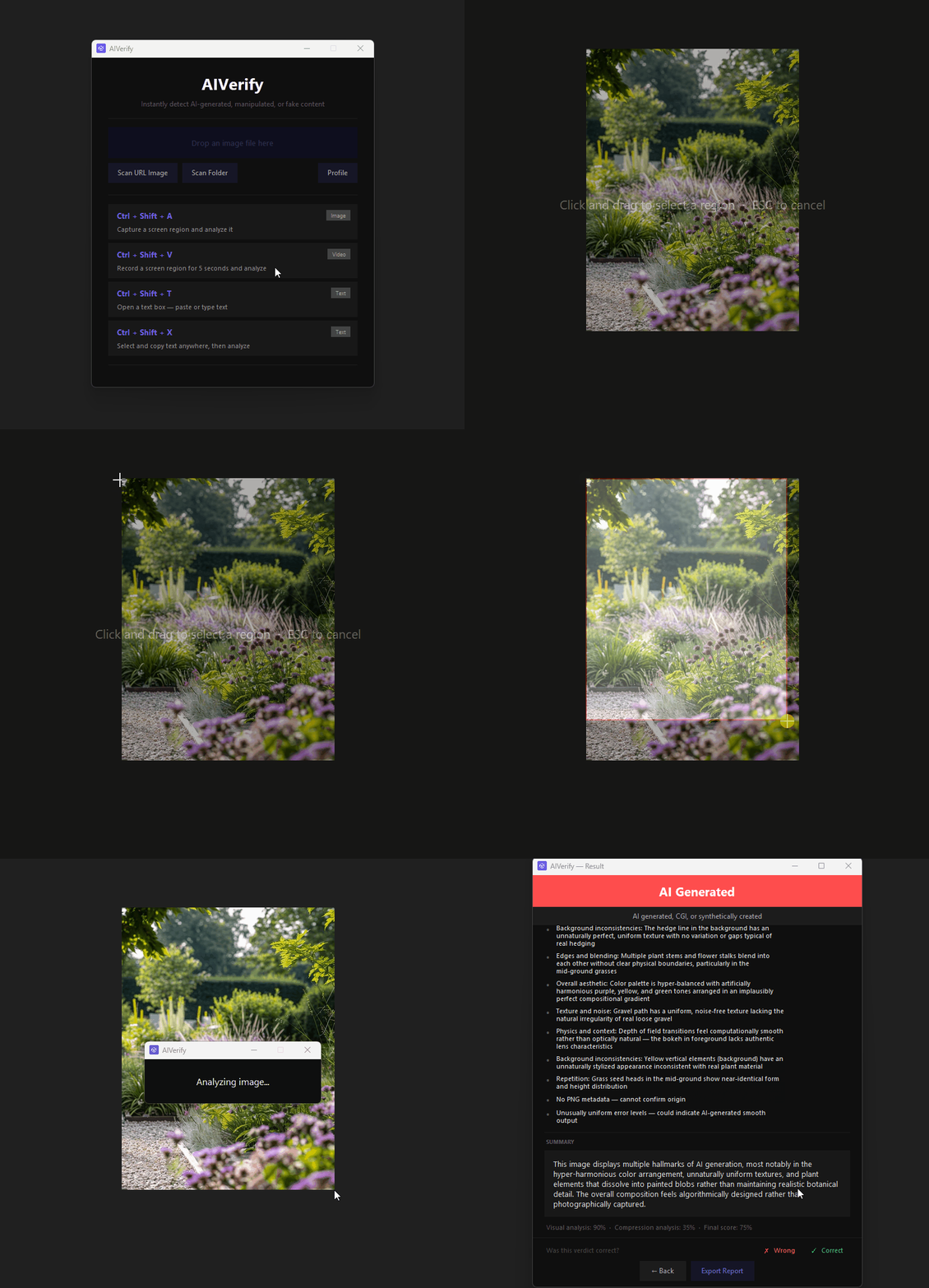
Select a screen region with a hotkey, drop a file, or paste a URL. AIVerify runs the analysis and returns a verdict in seconds.
Select any region of your screen with a crosshair tool and analyze it instantly.
Drag and drop any image file directly onto the app to analyze it.
Paste an image URL and AIVerify downloads and analyzes it automatically.
Scan an entire folder of images at once and get a summary of results.
Record any screen region for 5 seconds and analyze multiple frames for AI content.
Every scan is saved locally so you can review past results at any time.
All hotkeys can be customized in the app settings.
Download AIVerify for Windows. Free trial included.
Download for Windows v1.0.5No credit card required